|
Rife/Crane/Hoyland
Mark 9 Rife Machine
RIFE WAVEFORM FREQUENCY
RESONATOR
“Well I have lived my life for the benefit
of humanity, and it is the end result of that accomplishment.” RR
The Body as a Frequency Instrument ?
Know the Truth
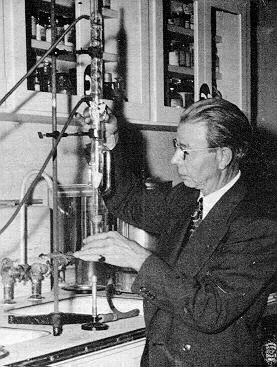
Royal Rife built 5 different Rife machines, Rife Ray
# 1,2, 3, 4 and 5.
(Beamray) Rife Ray #
1-4 were designed by Royal Rife and John
Crane.. Rife Ray # 5 which
was the most popular Rife machine amongst doctors
and practitioners Designed and built by Philip Hoyland
and Royal Rife. This was by far the most popular and effective Rife
machne ever built (see
Doctors statements here) If you look near the bottom of this
page, you will see the Rife Pro options 2H to 7H The "H" stands
for Hoyland, These are the only units in the world that that include
the functions of the Rife Ray
# 1,2, 3, 4, and recognise and use the Rife
Ray # 5, a Combination of Royal
Rife and Philip Hoylands pure genius..
Dr. Johnson clearly points
out in his letter that this was done with a new [Rife
Ray #5 Clinical
instrument]. Dr. Johnson had been using the Rife Ray #4 since
the fall of 1935 on his patients but here he points out that
they were using a new Rife Ray #5 machine and that it was
clinically more effective than the Rife Ray #4 machine
he had been using
up until this time. In the Beam Ray Trial documents Philip
Hoyland stated
that he had built a new Rife Ray #5 Clinical instrument in
the summer of 1936: (Beam Ray Trial Transcript #956)" Source
Rife videos .com" More on
the hoyland system Rife Ray #5
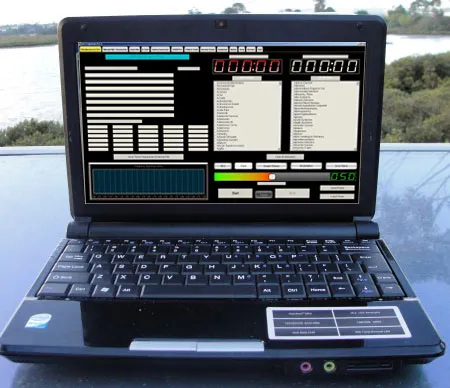
The RifePro gives one all of Beamray1-5 options and is very easy
to use |
.The
most advanced and effective Rife machine, Why?
 Rife
Pro The latest, powerful Rife machine software technology. Rife
Pro The latest, powerful Rife machine software technology.
Its
a Rife machine
Rife
14.0" Laptop Included
Its
a Bob Beck Zapper
Its
a Hulda Clarke Zapper
Its
a BT9 For Sleep and Depression
Its
a TENS unit for Aches and pains etc
Its
a CES (cranial electro stimulation) system
It
can be used as a Bob Beck type pulser (options 2-4)
Frequency
Broadcast options
Remote
Treament Options
Biophoton healing
sun energy frequency option
Personal
contact one on one set up and full backup
Over
2569 Presets for hundreds
for diseases with a Hulda Clark to Rife machine Frequency converter,
giving you thousands of more frequencies with a few mouse clicks.
TBSW
Generator Pro
Export
presets to wave audio format for making CDs for your clients or
patients
Chakra Tools : Align and balance chakras (the human energy centers)
Sweep Generator : For assistance in finding your own healing frequencies
(great for emerging diseases like H7N1 bird flu etc...)
More
: Ancient Tones -
A
Client / Patient Database
High
frequency Hoyland Type high frequency Generator (0.1-310mhz)
Full
frequency tables
Charge
water with Rife frequencies
Very
easy to use , one on one set up via skype or phone plus full web
page pictures and instructions
Much
more
When you recieve your Rife machine we call you and
walk you through the setup and continued use
Price and option packages
near the bottom of the page in the colored boxes
I
would like more info on Rife options
Please Email or call me: my phone number is
Click on the picture
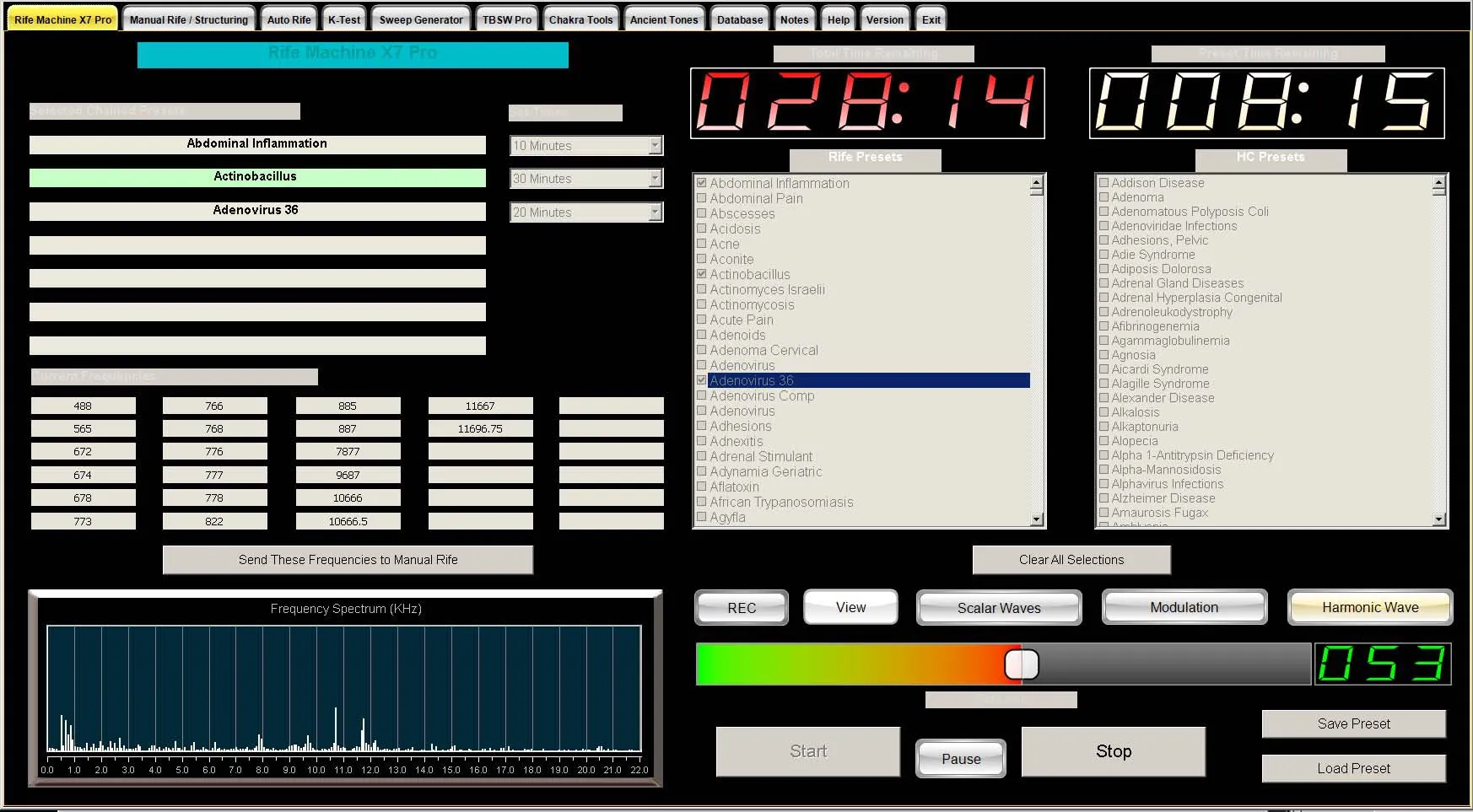
Rife Pro:Features
You
can run up to 30 rife frequencies at once saving you time
- without sacrificing power
Over
2595
rife machine Fast Presets for hundreds of health problems -
2 mouse clicks and you’re up and running
Hulda Clark Frequency Converter lets you use Hulda Clark frequencies
giving you even more healing power
Structure
water and oils with your Rife machine frequencies and make professional
grade remedies for pain relief and more...
Rife
Frequency Resolution of 0.0001 Hz - gives you frequency accuracy
better than
ANY Rife Machine available
Special Modulation algorithm for enhancing the effectiveness of speakers
for Rife work
Manual
Mode for entering your own Rife frequency sets - enter any Rife frequencies
you like up to 22 KHz
Save
and Load an unlimited number of your own Rife presets for quick recall
for later use
You can Export Rife Frequencies and Presets to wave audio format for
transfer to CDs
14."
Laptop
Simple
and Easy to use,,just use the built in mouse to click on the frequency set
Understandable
Instructions :)
Latest 2024 RifePro extra features
Biofeedback know what frequencies are needed
(K Test)
The K-Test section is used for diagnostics Once you find the frequencies
that are right for the person, or yourself, you can run the preset(s)
from
Rife Machine Pro, or transfer the current frequencies to the Manual
Rife section of the program. More information
Science Behind Rife Machines
Remote treatment options. Send
frequencies to friends and Family..
Imprint Water and
Oils with frequencies of your choice..
Programable Hoyland
systen
"None of Dr. Rife's previous instruments ever had the
capability that this instrument had.. Dr.
Johnson pointed this
fact out in his letter. "The major difference between this
new Rife Ray #5 Clinical instrument and Dr. Rife’s
previous instruments is the fact that this new instrument could
produce over one hundred harmonic side bands simultaneously.
It was this new harmonic sideband capability in this Beam Ray
Clinical instrument which makes this sweep we are discussing
on this page possible."
Rife/Hoyland
Type high frequency Generator (0.1-310mhz) |

"Royal rife developed
5 units,the fith unit was the most powerful"
""I can assure you that no one, not even myself,
could help but be astounded at the results we are now obtaining
with the assistance of our new machines and our
new band of MOR's.(Mortal oscillatory rate)" (Letter from Dr. Johnson
to Dr. Gruner (copy sent to Dr. Rife)" |
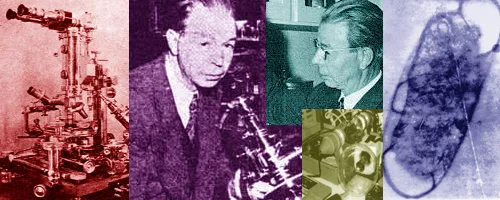
The Royal Rife machine Story
"Never must the physician say, the disease
is incurable. By that admission he denies God, our Creator; he
doubts Nature with
her profuseness of hidden powers and mysteries."
Quoted from the last page of the book "THE MEDICAL FOLLIES" printed
in
1925 and written by Morris Fishbein, M.D. Editor of the Journal of the American Medical Association |
In a two-part article written by Newall Jones of
the San Diego Evening Tribune (May 6 & 11), Royal Rife said, ‘We
do not wish at this time to claim that we have "cured" cancer,
or any other disease, for that matter. But we can say that these
waves, , as the frequencies might be called, have been
shown to possess the power
of devitalizing disease organisms, of "killing" them,
when tuned to a wave length, or frequency, for each organism.
This applies to the organisms both in their free state and, with
certain exceptions, when they are in living tissues.’"Source
RIFE THERAPY IS ONE OF THE VERY FEW
THERAPIES KNOWN TO BE FREE OF ANY SIDE EFFECT.
I
would like more info on Rife options
Please call me: my phone number is
This is in contrast to any synthetic drug, whose unnatural chemistry
eventually produces damaging side effects, such as impotence, high blood
pressure, hair loss, and damage to heart, kidneys, & immune system...
Royal Rife discovered that every virus, bacterium,
parasite and other pathogen is particularly sensitive to a specific "frequency" of
sound and can be destroyed by intensifying that frequency until it
literally
explodes - like an intense musical note that can shatter a wine glass!
To "disintegrate" the microbes, Rife invented a Beam Ray
machine (now known as a Rife machine)
Every species of life has its own electromagnetic "signature",
a pattern of oscillation based on its individual genetic blueprint. It's
different for all. This instrument is based on Royal Raymond Rife's quest
to study the unique electromagnetic "signature" of Viruses,
Bacteria, Parasites, Fungi and Cancer; and experimenting with special
frequencies to DESTROY them.
RIFE MACHINE
18 YEARS OF RIFE'S WORK
By Newell Jones
The following are articles published at the time
that Royal Rife was working.
Discovery that disease organisms, including one occurring in dread
cancer, can be killed by bombarding them with radio waves tuned
to a particular length for each kind of organism, was claimed
today by a San Diego scientist, Royal Raymond Rife, Pt. Loma.
He added that he had isolated this cancer organism but is not
positive yet that it is the direct cause of the disease.
The discovery promised fulfillment of man's age-old hope for a
specific destroyer of all his infectious diseases, although Rife
avoided any claim that he had established this yet.
He announced his work in the conservative manner of scientists,
but his reports indicated the great promise in their telling of
successful bombardment of thousands of cultures of organisms, including
almost all kinds known to mankind. Organisms from tuberculosis,
cancer, sarcoma, the tumor resembling cancer but not so mortal
as it; streptococcus infection, typhoid fever, staphylococcus infection
and two forms of leprosy were among many which the scientist reported
are killed by the waves.
He said that his laboratory experiments indicated that the method
could be used successfully and safely, in organisms at work in
living tissues. "We do not wish at this time", Rife commented," to
claim that we have 'cured' cancer, or any other disease, for that
matter.
But we can say that these waves, or this 'ray,' as the frequencies
might be called, have been shown to possess the power of de-vitalizing
disease organisms, of 'killing' them, when tuned to an exact, particular
wave length, or frequency, for each different organism. This applies
to the organisms both in their free state and with certain exceptions,
when they are in living tissues
Imagine, for a moment, that you have spent more than two
decades in painfully laborious research-- that you have discovered
an incredibly simple, electronic approach to curing literally
every disease on the planet caused by viruses and bacteria
. Indeed, it is a discovery that would end the pain and suffering
of countless millions and change life on Earth forever. Certainly,
the medical world would rush to embrace you with every imaginable
accolade and financial reward imaginable.
You would think so, wouldn't you? More |
RIFE
THERAPY IS ONE OF THE VERY FEW THERAPIES
KNOWN TO BE FREE OF ANY SIDE EFFECT |
Shattering Tumors with resonant frequencies:?
Photon Rife Adapter
Stimulate the Lymphatics and so much more |
Passing the Rife Machine frequency through the
body via plasma type tubes |
|
Or through the feet or hands
via (the old way copper plates) The latest way is Conductive
Slippers,
is the normal way to facilitate a Rife frequency through the
body.
|
| |
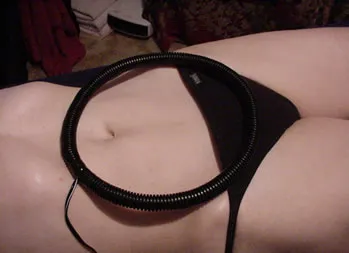
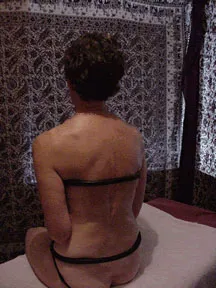
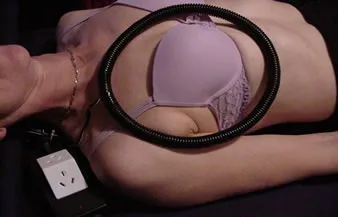
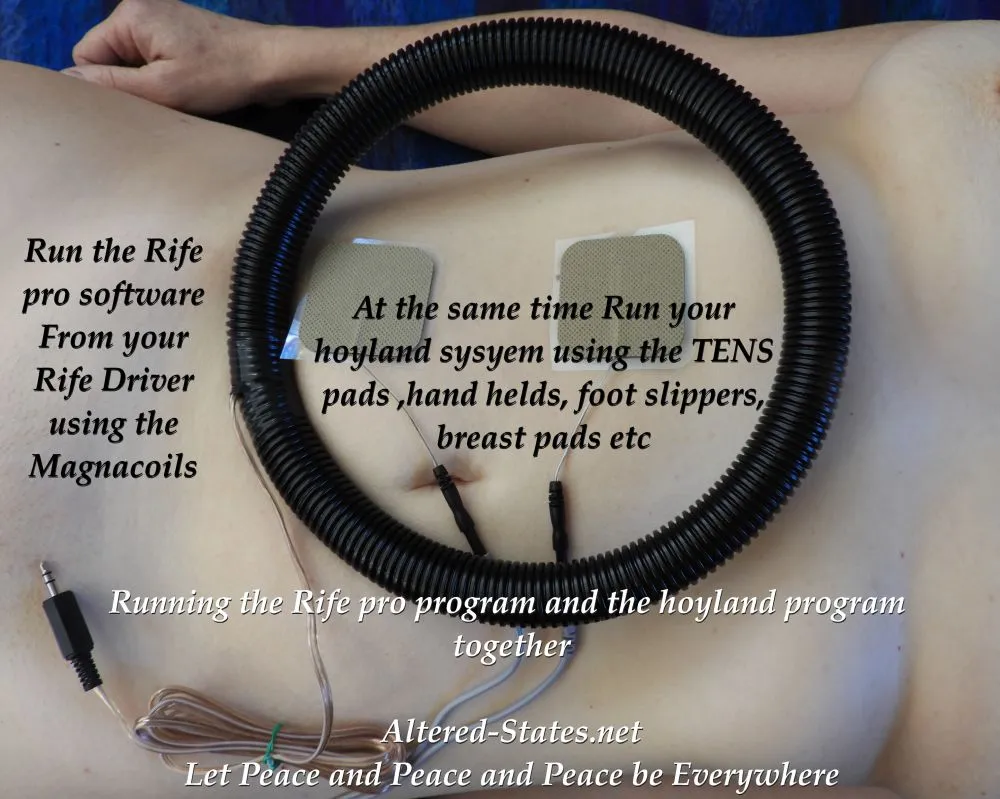
As the Body is very sensitive to magnetic fields, you can now
wrap the body in your chosen Rife frequency, using our Magnacoils |
| Magnacoil
Magnetic fields penetrate the body as if it were air. Nothing
in the body stands in the way of a magnetic field. The body is
70% or more water, which doesn't reduce or block magnetic fields.
A strong magnet held on one side of the hand can easily deflect
a compass needle on the other side of the same hand. We have developed
these magnacoils for deep penetrative healing
Here Jane is Laying inside the Circumference of the large Magnacoil
completely saturating her body with pulsed north magnetic fields
set to the frequency of her choice
|
 |
I so much want to thank Barry and Lynne from Altered States for their expansive
part in the journey that had me fight and win my battle with cancer.
With their knowledge, and purchasing and using their machines, I have
now achieved remission – without radiation, chemotherapy, or surgery.
The machines / therapies I used where the;
Multi-wave Oscillator
Multi-pulsar
Rife Machine
Biological Spectrum Infra Red
The herb I used was;
Graviola/Soursop (also nicknamed “The Natural Chemotherapy”)
My GP, and my specialist, have both been very supportive of my therapy
choice, (although finding a specialist that wasn’t easy so do look
around). They continued to keep a close eye on how I was tracking, ensuring
I was never
moving in the wrong direction.
This allowed me to pursue other therapy options with sound support, receiving
two monthly scans and blood tests to confirm tumour sizes remained either static
or were shrinking.
I strongly suggest to anyone that they find the right specialists to walk
with them on this journey, and to seek Barry and Lynne’s advice on the
range of therapy machines across their extensive range that might be appropriate.
I will now be using my machines to help to improve my eyesight. I have already
used the Multi-pulsar machine to alleviate my RSI issue with good success.
My thanks are simply not enough to express my gratitude to Barry and Lynne
for their help and support.
At the risk of effervescing, if you have read this testimonial, do yourself
a favour and simply ring them for a chat to find out what might be achievable
with alternative treatment methods. I’m so incredibly glad I did!!
Greatest gratitude
Mark Cathie
NZ |
The Magnetic Effect
Magnetic Therapy in its natural state is the dominant North Pole field
of the Earth dominating over the life processes of the body. With a full
magnetic field from the Earth the body goes through many actions to promote
good growth, strengthen tissue and fight disease and damage from accidents
or injury.
The evidence is in and has been around for a long time
and can be found in the teachings at all medical universities. The cytoplasm
(inside), quantifiably the largest part of a healthy cell, measured at
rest, has a negative charge potential. When stressed or traumatized,
the cell (now measured positively potentiated or with a loss of its negative
charge value) sends an ascending signal through the nervous system to
the brain which in turn, sends the descending signal to flood negative
healing charges to the cell (s) to get them back to their normal negative
charge potential (homeostasis). That is how the bodys
basic defense and healing system works, naturally
sending negative charges to the affected area. All of these measurements
have been conducted years ago on the body with a very expensive mico-voltmeter
known as a Squid (Super Conducting Quantum Interference Device).
What else do the negative charges do - Trappe
et al. showed the reduction of cancer cells under a negative magnetic
field and a very
aggressive proliferation with the positive magnetic pole. Dr. Becker
et al. (University of Massachusetts) showed that a healing site always
goes negative once the healing starts. Starting in the 1930s,
Davis et al. conducted so many experiments which have been duplicated
so many times, that he is considered the worldwide founder of the different
biological pole effects. His experiments essentially provided the original
physical precepts about scientific magnetic healing. He found the negative
pole provided the calm electrical atmosphere that promoted healing which
was later identified to mimic and amplify the body's
natural defense system.

Wrap your body in a magnetic field
He also found the positive field stimulates metabolism
which often interferes with the flood of negative charges and stresses
the healing site, which in turn, floods the area with more negative energy.
Simple to understand – a doctor prescribes cold for
swelling, never heat. This is not to say the positive pole should never
be used. The positive pole, when used in conjunction with the negative
pole, has been found to be necessary in specific treatment modalities
when instituting specialized circuits to initiate re-growth of cartilage
or breached nerve or bone unions. On the proper location (s), it can
potentiate nerve cells and vitalize weak, nerve pathways, which in turn,
elevates the healing message (s) from the brain to the affected areas.
It also can reset and amplify the proper current flows in the body as
taught in Ayurvedic medicine, Reike, Shiatsu, Acupuncture, Kinesiology,
Reflexology, Jin Shin Jyutsu, and is now being used, studied and taught
by contemporary medical scientists and practitioners.
I
would like more info on Rife options
Please call me: my phone number is
On 26/1/18 I was admitted to hospital with pneumonia, I
was immediately put in an induced coma for 8 days, in that
time I
was resuscitated twice. I was also diagnosed with an aggressive
form of leukemia. My weight dropped from 82 kg to 57 kg. I was
released from hospital on 8/2/18 to be told by the doctor that
I was going home to die because I had refused chemotherapy. My
partner was told that I had 2 days to live! I immediately contacted
altered states, whom I had previously purchased a rife
machine from & ordered a multi wave oscillator. Using the
rife crane machine & the Multiwave Oscillator along with a strict diet I was
told on 20/4/18 that my blood test had come back clear of leukemia.
Subsequent tests also show no leukemia in my body. I wish to
thank the team at Altered States for their advice & help
during my recovery. They made it so easy for me. Thank You
John O'L--------
Mackay
Central Queensland
Australia. |
Rife
Machine Pro:Features
However most of the Earth does not have a full magnetic
field. Scientists tell us that as a normal process the Earth's poles
reverse approximately every 5,000 years. As we move to this polarity switch,
in about 2,000 years, the Earth's magnetic field is lessening. With a
decreased field the body is not always able to make all the changes it
should and it makes it unable to successfully protect itself. An interesting
note is that there are only four places left on Earth with full magnetic
fields. Two habitable and two not. The not are the North Pole and the
South Pole. The habitable are Sedona, Arizona and Lourdes, France - both
known for healthy living and healing.
Disclaimer: To comply with FDA requirements we need to
inform you the fact that a lot of people have had tremendous results
does not guarantee that you will have the same results. Also, if you
have a serious medical condition, this use of this technology should
not replace any competent medical advice you are currently receiving.
Our experiences have been that most people will use this technology while
continuing to visit their usual/normal medical professionals.
A little history
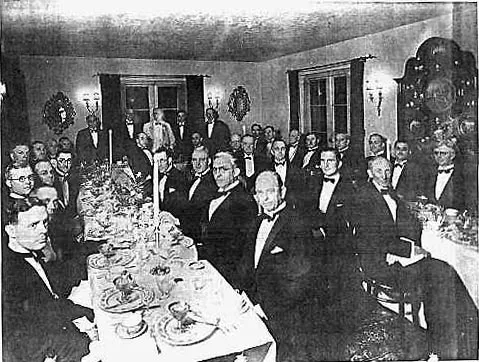 |
On November 20, 1931,
forty-four of the nation's most respected medical authorities
honored Royal
Rife with a banquet billed as "The
End To All Diseases" at the Pasadena estate of Dr Milbank
Johnson
Mainstream Science Validates Rife and Hulda Clark |
Royal Raymond Rife and his engineer John Crane developed a new type
of frequency therapy device, in the 50s, using electrodes placed on the
body to administer the resonance waves. Just 10 years later, the AMA
again struck to silence this form of therapy. In 1960 John Crane's laboratories
were raided without a search warrant, years of work were either confiscated
or smashed and Crane was taken to trial in spring 1961. Although there
was a large amount of evidence supporting the effectiveness of the Rife/Crane
therapy, this evidence was not permitted to be used in the trial! John
Crane was sentenced to 10 years in prison of which he served 3 years
and 1 month.
After John Crane is released from prison. He begins the fight all over
again. 1965 October: Crane submits an application to the Calif. Board
of Public
Health for approval of the rife Frequency Instrument. "The
application is made in the name of Rife Microscope Institute," John
Crane, owner. The Health Department answers that Crane must first
show the instrument
to be effective
I am writing my next book, How Cancer Saved My Life.
My 4.9 x 4.9 cm tumor shrunk in half in ONE month, simply
by using the
Rife machine. I was cancer free in less than 6 months...*.I
did do the holistic infusions in Mexico also but the Rife
machine
is KEY to my healing , I am 100% certain.
Thank you so much
Sincerly
R Spellman
USA
|
.
Dr. Charles W. Bunner, Chiropractor, agrees to provide "proof of
effectiveness." The Calif. Department of Health pays him a visit
and forbids him to use the instrument, and present him with a court order
to have it destroyed.
Dr. Les Drown, Chiropractor, provides a statement. An American Cancer
Society representative subsequently forces him to "sign over" his
Frequency Instrument or go to jail. (Rife's cancer discoveries are never
patented.)
If the medical system continues to advance, one day Royal Rife will
be acknowledged as one of histories greatest medical geniuses. In 1920
Royal Rife identified the human cancer virus
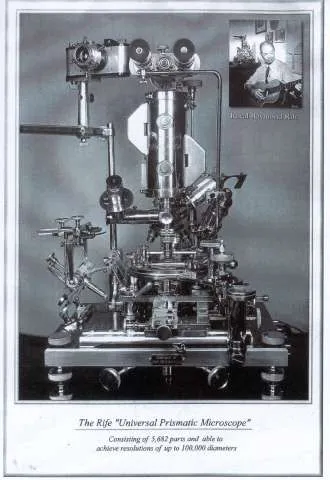
using the worlds most powerful microscope (using a different design which he created), cultured the
virus (on salted pork, the best growing medium), and injected it into
rats. These injections caused cancer in every one of the rats (all 400
of them). Later he was able to find a frequency of electro-magnetic energy
that would cause the cancer virus to self destruct when within that energy
field. He created a device that emitted that energy field and was successful
at destroying cancer viruses inside patients .
In
1934, the University of Southern California appointed a Special Medical
Research Committee to bring 16 terminal cancer patients from Pasadena
County Hospital to Rife's San Diego Laboratory and clinic for treatment.
The team included doctors and pathologists assigned to examine the patients,
if still alive, in 90 days. After
the 3 months of treatment, the Committee concluded that 14 of the
patients had been
completely cured. The treatment
was then adjusted and the remaining 2 also
were cured within the next 4 weeks. On November 20, 1931, forty-four of the nation's most respected
medical authorities honored Royal Rife with a banquet billed as "The
End To All Diseases" at the Pasadena estate of Dr Milbank Johnson.
"I can assure you that no one, not
even myself, could help but be astounded at the results we
are now obtaining with
the assistance of our new Rife machines and our new band of
MOR's.(Mortal oscillatory rate)" (Letter from Dr. Johnson
to Dr. Gruner (copy sent to Dr. Rife) dated, November 4,
1936." |
But by 1939,
almost all of these distinguished doctors and scientists were
denying that they had ever met Rife. This complete reversal was
the result of pressure from the drug companies on them. 'Pressure' is
a very nice way of saying it. On the eve of a press conference to announce
the results of the 1934 study on Rife's cancer therapy, Dr Milbank Johnson,
former president of the Southern California AMA, was fatally poisoned
and his papers "lost". Also, after a failed attempt
by Morris Fishbein to buy the rights to Rife's healing instrument for the medical
drug industry, Rife's labs were destroyed by arson and sabotage. Dr.
Nemes, who had duplicated some of the work of Rife, was killed in a mysterious
fire which destroyed all his research papers. A similar fire also destroyed
the Burnett Lab, which was validating Rife's work. Royal
Rife himself was killed in 1971 by an "accidental" lethal dose
of Valium and alcohol at Grossmont Hospital..
" The AMA is
found guilty by a U.S. Court of Appeals of 'conspiracy to restrain
competition. . . New
methods of health care have been discouraged,
restricted and in some instances eliminated." Source
Wikilies
1985
The Sloan-Kettering Cancer Institute finds the Rife-Livingstone-etc.
organism (virus) in all blood cultures of cancer patients. They conclude
that the organism comes from outside contamination and
bury the report.Source
Dr. Edward C. Rosenow, a pioneer
bacteriologist, sadly commented at the end of his life, "They
simply won't listen."
Professor I. Kendall, Professor I. Rosenow (prominent
bacteriologists who verified Rife's theories): Accused of being liars
and charlatans by their peer
The AMA: aggressively opposed the technology only
after its chairman's attempt to buy the rights to it, was it rejected (what
a coincidence!)

Are
Some cancers caused by viruses?
Has Science caught up with geniuses ? Science has found about a
fifth of all human cancers worldwide are caused by bacteria parasites and
Viruses. In 15% of cancers, seven different viruses have been
linked to human oncogenesis: Epstein-Barr virus, hepatitis B virus,
human papillomavirus, human T-cell lymphotropic virus, hepatitis
C virus, Kaposi's sarcoma herpesvirus, and Merkel cell polyomavirus. Source1980
Hepatitis B Virus (HBV) and Hepatitis C Virus (HCV)
Kaposi Sarcoma-Associated Herpesvirus (KSHV)
Merkel Cell Polyomavirus (MCV)
Human Papillomavirus (HPV)
Human Immunodeficiency Virus Type 1 (HIV-1, or HIV)
Human T-Cell Lymphotropic Virus Type 1 (HTLV-1)
Epstein-Barr Virus (EBV)
The individual has always had to struggle to keep from
being overwhelmed
by the tribe.
If you try it, you will be lonely often, and sometimes frightened.
But no price is too high to pay for the privilege of owning
yourself.
Friedrich Nietzsche
THIS IS A PARTIAL LIST OF DISEASES THAT RIFE TECHNOLOGY HAS BEEN REPORTED
EFFECTIVE,
IN HELPING ALLEVIATE
 Acne,
Abscesses
Adenoids
Alopecia
Asthma
Allergies
Arthritis
Athlete's
foot,
Bone
spurs
Bronchitis,
Carcinoma,
Cardiovascular,
Carpal
Tunnel,
Chronic
Fatigue Syndrome (CFS)
Candida,
Colds
(some),
Constipation
,
Cramps
,
Depression
,
Diabetes
,
Diabetic
Ulcers
Dysmenorrhea
,
Dental infection,
Diarrhea
|
HIV
Heart
Conditions
Herpes,
Infections
Leukemia,
infections,
Neuralgia
Fever ,
Fibroid,
Flu (some strains) ,
Headaches,
Insomnia
Joint pain,
Kidney infection
Lupus
Leukemia
,
Multiple
Sclerosis ,
Pain
Prostate
Cancer ,
Pneumonia
,
Sarcoma
,
Stroke
,
Staph & Strep
Tumors,
Ulcers
|
The University of Southern California
preformed clinical trials in 1934 with Rife machine technology
on 16 terminally
ill cancer patients and all 16 were cured within the trial period
of 3 to 4 months. It is claimed that the treatment was painless, did not
have side effects, did not harm healthy cells and did not include pharmaceutical
treatment for the cancers
I
would like more info on Rife options
Please call me: my phone number is
In the Fall of 1990, two researchers, Drs. William Lyman and Steven
Kaali, working at Albert Einstein Medical College in New York City made
an important discovery. They found that they could inactivate the HIV
virus by applying a low voltage current to HIV infected blood in a test
tube. They applied a direct current to the electrodes and found that
a current flow in the range of 50-100 microamperes (uA) produced the
most effective results. Practically all of the HIV viral particles were
adversely affected while normal blood cells remained unharmed. The viral
particles were not directly destroyed by the electric current, but rather
the outer protein coating of the virus was affected in such a way as
to prevent the virus from producing reverse transcriptase, a necessary
enzyme needed by the virus to invade human cells.
A few Experiences with
Rife Machines
Links with interesting info
Rife machines and Multiwave
oscillators are claimed to complement each other based on the
principle that life forms absorb energy. A multiwave
Oscillator uses this principle to strengthen cells within the
body to resist disease while a Rife machine uses this principle
to destroy microorganisms with an overdose of frequency energy.
|
Using pulsed Magnetic fields with Rife machine
Frequencies
How can the fields reach deep inside the Body?
To answer this, I would like to quote Gareth Hatch, Ph.D., from
his contribution at www.physlink.com Link. He was asked (Italics
ours):
"Is there any material that can block a magnetic force?"
Answer:
Magnetic fields... cannot be blocked, no. That is, there is no
such thing as a magnetic insulator.
A major reason for this has to do with one of Maxwell's Equations:
del dot B = 0
Which implies that there are no magnetic monopoles. That is, where
as you can separate electric monopoles (positive and negative charges)
such that an E-field never has to terminate on the opposite charge,
you cannot do this with magnetic poles. There do not exist any magnetic
monopoles. There is no such thing as "magnetic charge." All
magnetic field lines MUST TERMINATE on the opposite pole. Because
of this, there is no way to stop them -- nature must find a way to
return the magnetic field lines back to an opposite pole."
Hello Barry and Lynne
Just to let you know how easy I found
this amazing unit to use and to thank you and your staff
for the continued information
and help. I love your newsletters:)
To have someone call me and answer my questions was very
special
Let me tell you I have no hesitation in recommending this
product and the amazing service you guys provide
Will talk soon
Danny 74
LA |
The Latest Hoyland
Generator addition to our Rife Machine Packages
"Philip Hoyland was able to produce all of Dr.
Rife's frequencies, through harmonic sideband frequencies, using
these audio frequencies because he found that Dr. Rife was correct
when he said that many of his frequencies were harmonics (actually
Dr. Rife meant sub-harmonics of higher frequencies). When Philip
Hoyland tested this concept out in the laboratory in the summer of
1936 with Dr. Milbank Johnson, M.D., he found that Dr. Rife was correct
that his frequencies were sub-harmonics of higher frequencies. What
Philip Hoyland did was verify and prove that every harmonic of Dr.
Rife’s frequencies can be used to devitalize the organisms "
Return to Balance
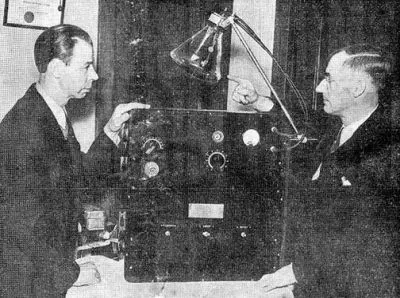
A blast from the past
1936-38 Dr Royal Rife and Philip Hoyland
"Dr.
Johnson and Philip Hoyland were looking for the frequencies
for two organisms
which
were connected
to cancer. In order for
them to find these frequencies it was necessary for them
to sweep the dial of the instrument through the various frequencies. They
made the modifications to the Clinical instrument so that
this
new band of frequencies would be included in it. They also
found that this instrument could not be used in the laboratory
because
every time they used it they would kill all the microorganisms
in the laboratory."
"Dr. Johnson: "My dear Dr. Schram…the
clinic was opened and run by me to satisfy me personally
whether the
Rife Ray would destroy pathogenic organisms in vivo as well
as in vitro. The latter we had repeatedly demonstrated in the
laboratory. I had to have this information conclusively positive
before I could recommend to my friends to get in behind the
work to carry it on to a logical conclusion."
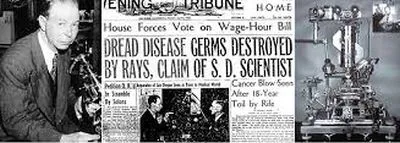
"None
of Dr. Rife's previous instruments ever had the capability
that this instrument
had.. Dr. Johnson
pointed this fact out in
his letter. "The major difference
between this new Rife Ray #5 Clinical instrument and Dr. Rife’s
previous instruments is the fact that this new instrument could
produce over one
hundred harmonic side bands simultaneously. It was this
new harmonic sideband capability in this Beam Ray Clinical
instrument
which makes this sweep we are discussing on this page possible." More
"However, our experience has
forced us to do all of our experimenting with the new ray
[Rife Ray #5 Clinical
instrument] completely outside of our laboratory building or
abandon all form of bacteriological experiments, because it
instantly kills them all.” (Letter from Dr. Johnson
to Dr. Gruner (copy sent to Dr. Rife) dated, November 4,
1936. Page 1, Page
2). More
Dr. Johnson clearly
points out in this letter that this was done with a new
[Rife Ray #5 Clinical instrument].
Dr.
Johnson
had been using the Rife Ray #4 since the fall of 1935 on his
patients but here he points out that they were using a new
Rife Ray machine and that it was clinically more effective
than the
machine he had been using up until this time. In the Beam Ray
Trial documents Philip Hoyland stated that he had built a new
Rife Ray #5 Clinical instrument in the summer of 1936: (Beam
Ray Trial Transcript #956)" Source Rife videos .com" More
on the hoyland system Rife Ray #5 |
The
Electrical Language of Cells” ?

The Best of Both Worlds
Dear Lynne and Barry
Thank you so much. I really appreciated the call you made
the day after I received my RifePro.
It was so helpful to have you talk me through setting up this
amazing unit.
While it is easy to navigate it was reassuring to have you explain
the process to me
As it was the large 3ah package I brought, the fact that
you then continued to call me every few days and walk me
through
the Apps and options was a real blessing
I can't thank you people enough for your care and compassion
at this trying time ,and the service provided to back up this
wonderful technology was something I have not experienced elsewhere
Josh and Clair
NY NY |
I
would like more info on Rife options
Please call me: my phone number is
The RifePro systems can run at least 2-4
accessories at the same time to get a strong full body coverage;
The
Ultimate Rife Machine
Our Rife Machine Laptops are top brand brand new units with a 12
month factory warrante
This item is made to order and non refundable
|

 Has
a counter-clockwise rotation
Has
a counter-clockwise rotation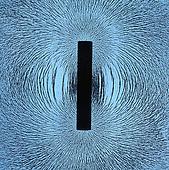
 Has
a clockwise rotation Excites
Has
a clockwise rotation Excites